
Summary
You want to request serial numbers on demand through a TraceLink channel but the configuration is incomplete to fulfill the request.
| Symptoms When clicking on the Request button in the Request serials panel under the Products --> Products --> Serial management tab in the Serialized Manufacturing application, an error message is displayed that might contain multiple reasons/issues. Example: 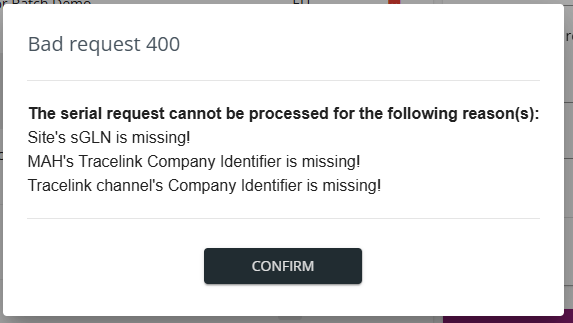 |
Resolution
1. Complete the configuration based on the errors in the message:
| Reason/Error | How to resolve? |
|---|---|
| Site's sGLN is missing! | Add the site SGLN of the manufacturing site under the Site management --> Sites tab in the master data form and save the settings. The site SGLN identifies the requesting manufacturing site in the request. For more information on site management, see Managing Manufacturing Sites. |
| MAH's Tracelink Company identifier is missing! | Add the TraceLink company identifier of the MAH under the Site management --> MAHs tab in the master data form and save the settings. This value identifies the receiver of your request. For more information on MAH management, see Managing MAH. |
| Tracelink channel's Company identifier is missing! | Add your tenant's TraceLink company identifier in the Tracelink channel settings. For more information, see TraceLink channel. |
2. Request serial numbers again.
