
Summary
Items were returned to your warehouse. You want to reship these items to the client in the UAE by reusing the same shipment permit number of the original shipment approved by the authority. You entered the shipment permit number as the order ID and delivery ID in the mobile application while creating a picklist in the "Pick" mobile action or while creating a transfer in the "Ship - External" mobile action.
| Symptoms When you try to create the picklist/transfer, you receive an error message that the combination of order ID and delivery ID exists in the system. You cannot create the picklist/transfer in the "Pick" or "Ship - External" mobile action. This is caused by the original shipment that has the same shipment permit number as the order ID and delivery ID in the system. Example of the error message in the "Pick" mobile action: 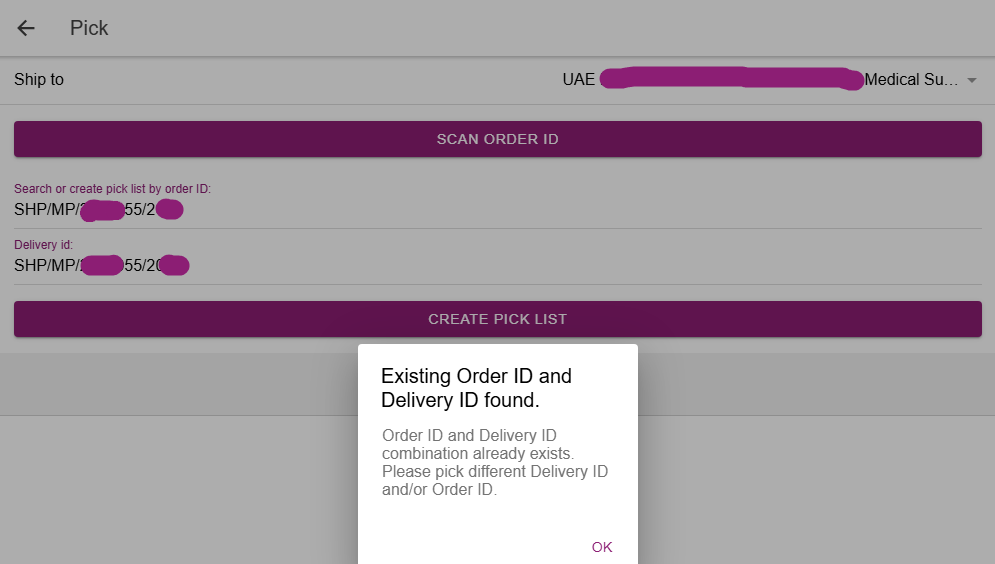 |
Resolution
1. Enter the shipment permit number as the order ID in the first ID field.
- The application uses the given order ID as the shipment permit number in the outbound Tatmeen EPCIS file.
2. Enter a unique delivery ID in the second ID field.
- The delivery ID can be different from the shipment permit number.
- For example, enter the ID that you use in the warehouse to separate the different deliveries belonging to the same order.
- The given delivery ID is not used as the shipment permit number in the outbound Tatmeen EPCIS file.
As a general recommendation from Movilitas.Cloud, stop using the shipment permit number as the delivery ID and use the actual delivery ID.
