
Summary
If bulk export cannot be triggered when shipping to a non-FMD country in the Serialized Logistics application, the logic performs multiple single transactions towards the NMVS as a fallback. The transactions are logged in the Reports & Analysis application under the FMD > Scans tab.
If a single transaction fails, the application sends an email to the administrators of the tenant, and optionally to the operator who performed the shipping in the mobile application.
| Symptoms Email example: 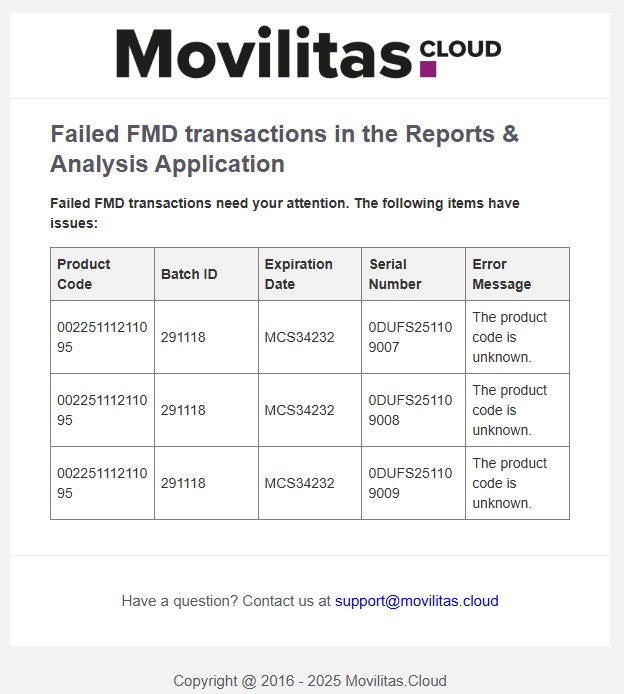 |
Resolution
1. Check the error message returned by the NMVS for each item.
2. Isolate the items.
3. Make sure that your scanner is correctly set up (for example, language).
4. Make sure that the Data Matrix barcode contains the expected data.
5. Contact the relevant stakeholders for further information:
- NMVS
- The supplier of the products
