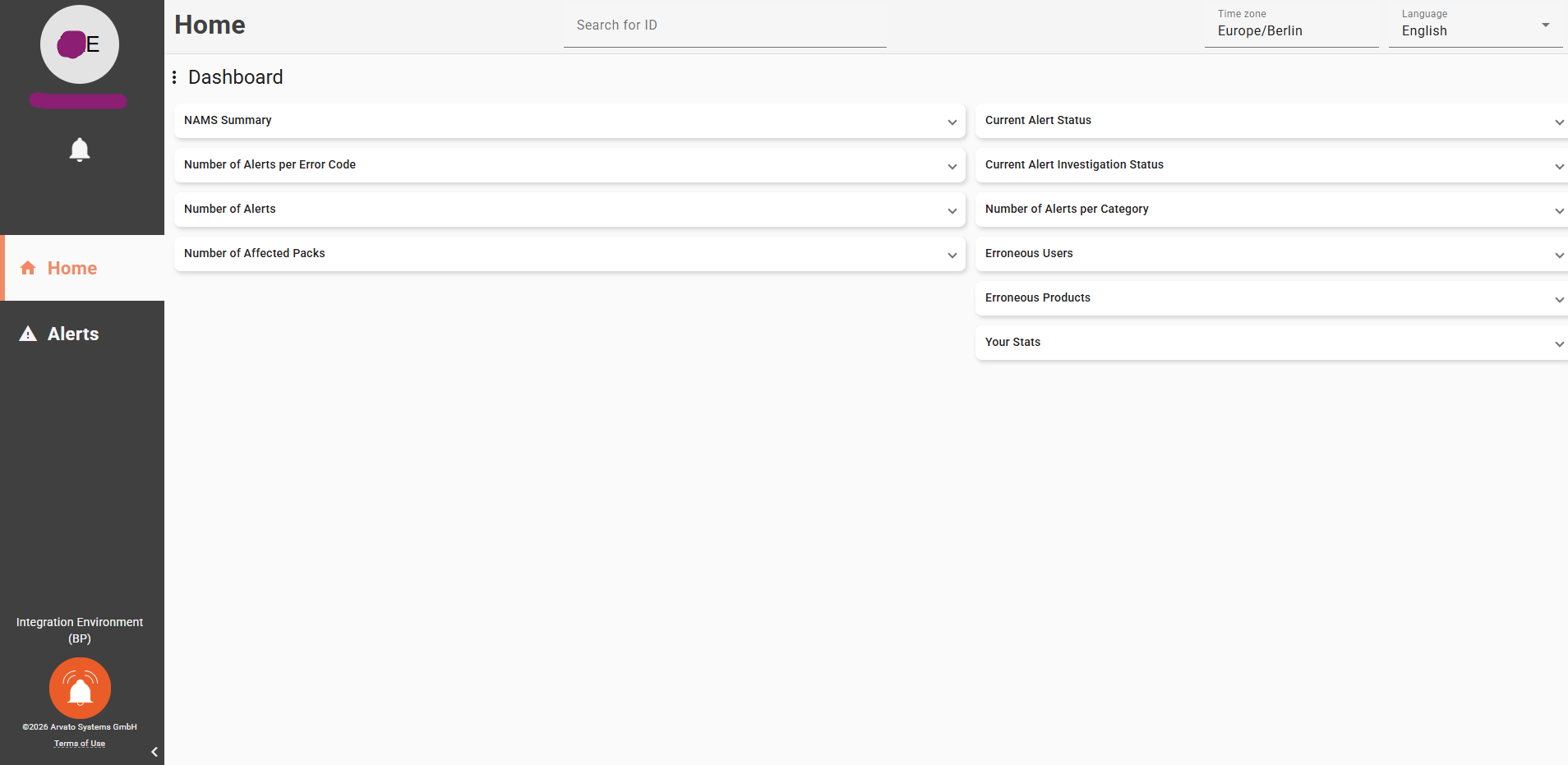
The Reports & Analysis application is integrated with the National Alert Management Systems (NAMSs) and lists the alerts of a selected connection (channel) for a time window not wider than one month.
For France and Spain, you can go to the NAMS alert portal from Movilitas.Cloud. The application logs you in to the NAMS alert portal.
Before You Begin
The Reports & Analysis application can list the alerts of one configured NMVS Arvato connection at one time.
Make sure that all relevant Arvato (NMVS) regulatory channels are configured for your tenant.
The same credentials are used for connecting to the NMVS and the NAMS. Once the Arvato (NMVS) regulatory channel is configured, the integration with the respective NAMS is automatically live.
Procedure
1. In the Reports & Analysis application, select FMD --> Alert Management --> National. The application fetches the data from all connected NAMSs which might take some time and a progress bar is displayed.
Once the application is ready, it displays the alerts for the first connection in the row for the past 30 days. The related connection is auto-selected in the Regulatory channels drop-down with the total number of alerts in square brackets. For each alert, the application displays the following:
- Date and time
- Alert code
- Alert message
- Alert ID
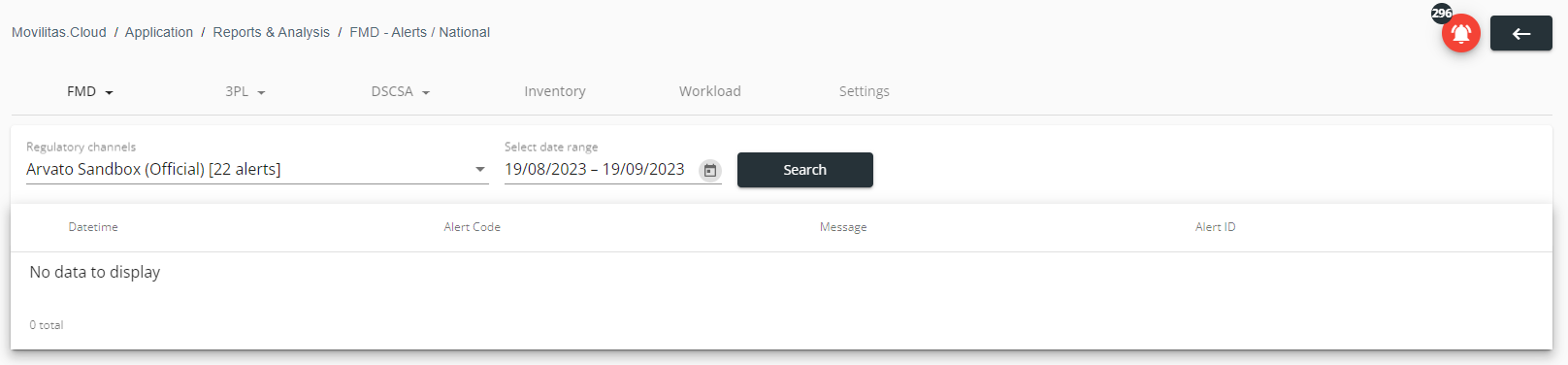
The following example illustrates the case when the selected connection has 22 alerts in the NAMS, but none of the alerts was raised in the selected time window. The channel connects to a country other than France or Spain:
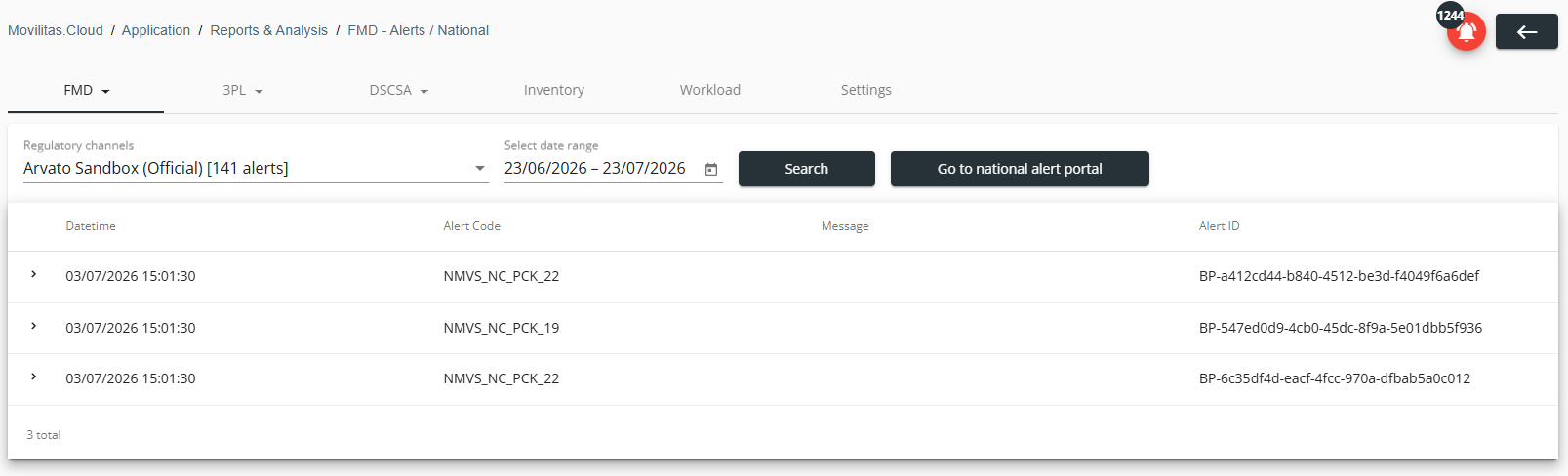
The following example illustrates the case, when the selected connection has 141 alerts in the NAMS, and 3 of the total alerts were raised in the selected time window. The channel connects to France or Spain because the application displays the Go to national alert portal button:
2. Select the connection in the Regulatory channels drop-down.
3. Set the time window to list the alerts for that period by using the datepicker in the Select date range field. The biggest time window that you can set is one month.
4. Click Search. The application filters the list of alerts based on the search criteria.
5. Click > (Expand) to view the details of an alert including timestamps, alert status, alert ID, market, causer data, pack data, and more.
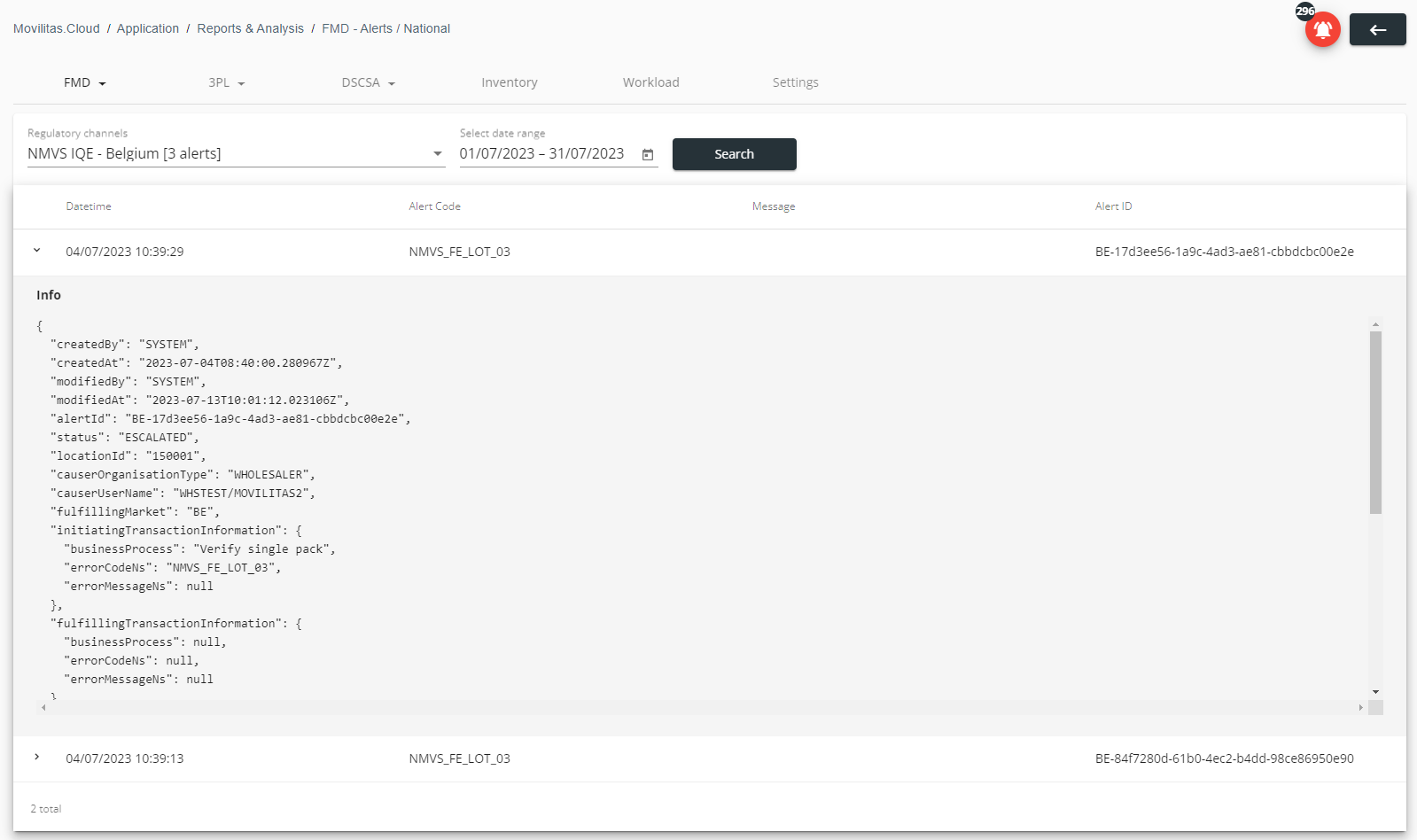
The following example illustrates two alerts with alert code "NMVS_FE_LOT_03" (unknown batch) for the date range of July 1-31, 2023 in the Belgium IQE system:
- One of the alerts is expanded.
- The alert message is blank because the national system in the IQE environment did not return an error message with the alert code.
6. (France and Spain only) To manage the alerts in the NAMS portal, click Go to national alert portal.
The application uses the credentials that are given on the selected regulatory channel, and logs you in to the NAMS alert portal by applying the Delegated Login Flow mechanism.
Example: