
In the Genealogy application, you can register your intermediate products that are created during production.
List of Procedures
- Creating an Intermediate Product
- Searching for and Viewing an Intermediate Product
- Updating an Intermediate Product
- Deleting an Intermediate Product
Creating an Intermediate Product
Procedure
1. In the Genealogy application, select the Products --> Intermediate products tab. The application displays the list of intermediate products and the Create intermediate product panel.
Note: When viewing the details of an intermediate product, you can open the Create intermediate product panel by clicking Create.
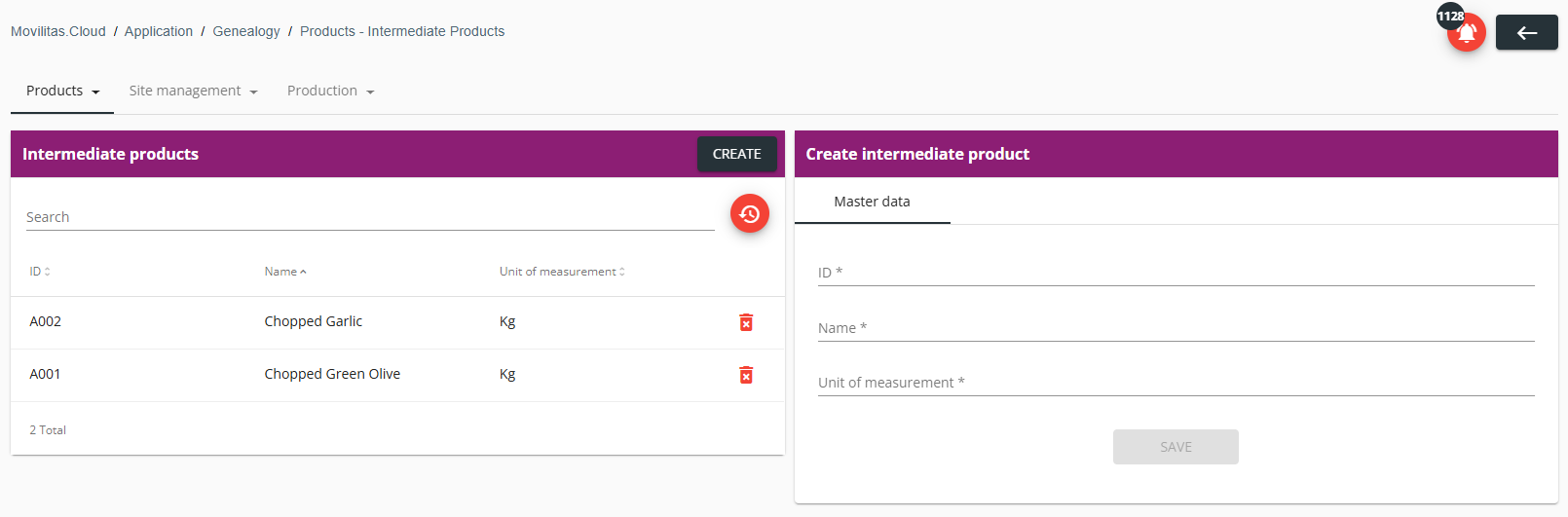
2. Under the Master data tab, fill in the form as described below. The required fields are marked with an asterisk (*) in the form.
| Field | Description |
|---|---|
| ID | Enter the ID of the intermediate product. This must be a unique identifier, for example, the internal identifier of the product at your company. After saving the intermediate product, the ID is read-only. |
| Name | Enter the name of the intermediate product. |
| Unit of measurement | Enter the unit of measurement. |
3. Click Save. The intermediate product is created and added to the list.
Back to the list of procedures
Searching for and Viewing an Intermediate Product
Procedure
1. In the Genealogy application, select the Products --> Intermediate products tab. The application displays the list of intermediate products.
2. Enter the ID or the name of the intermediate product in the search field.
- The list of intermediate products is filtered based on the search criteria.
- You can reset the filter by clicking Reset filters.
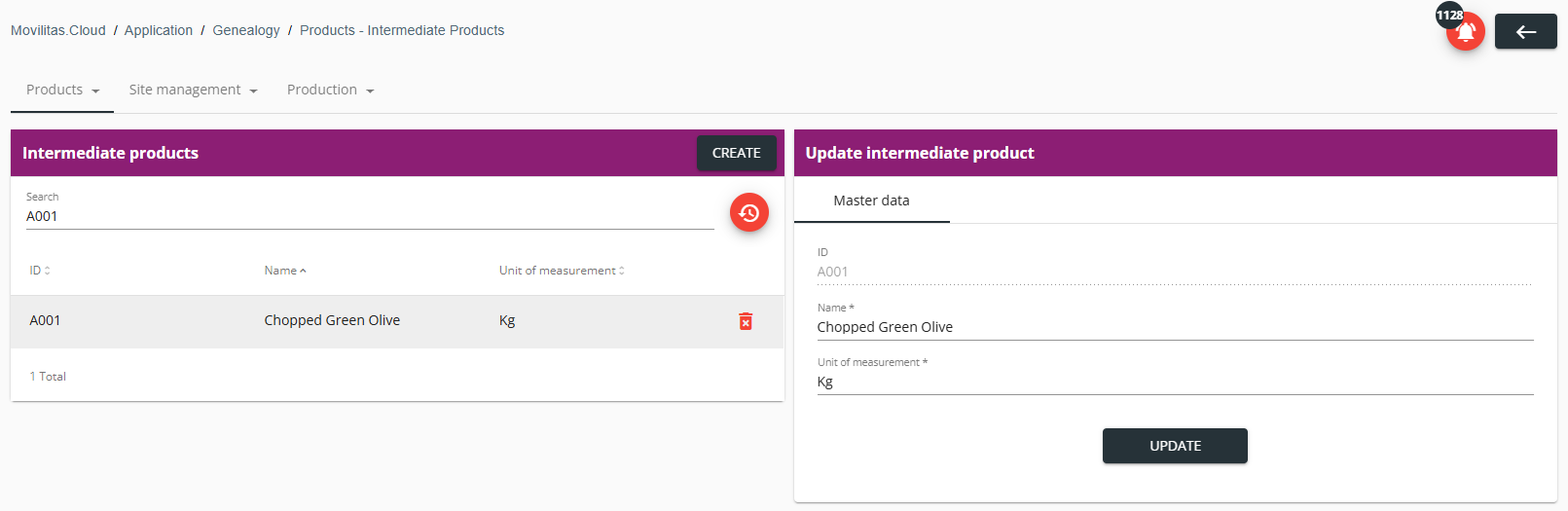
3. Select the intermediate product to view its master data on the Update intermediate product panel.
Example:
Back to the list of procedures
Updating an Intermediate Product
Procedure
1. In the Genealogy application, select the Products --> Intermediate products tab. The application displays the list of intermediate products.
2. Find and select the intermediate product in the list you want to update. The application displays the master data of the intermediate product on the Update intermediate product panel.
3. Under the Master data tab, modify the fields as needed.
| Field | Description |
|---|---|
| ID | It is not possible to edit the ID of the intermediate product. The ID is read-only. |
| Name | Enter the name of the intermediate product. |
| Unit of measurement | Enter the unit of measurement. |
4. Click Update.
Back to the list of procedures
Deleting an Intermediate Product
Procedure
1. In the Genealogy application, select the Products --> Intermediate products tab. The application displays the list of intermediate products.
2. Find the intermediate product in the list you want to delete.
Example:
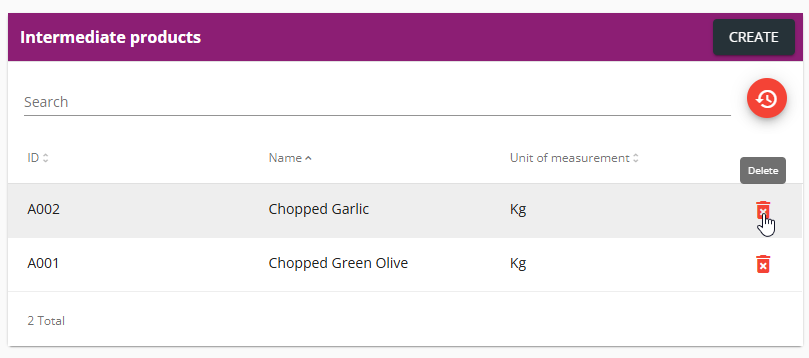
3. Click the delete icon and confirm the deletion by clicking Yes.
Back to the list of procedures
