
The Reports & Analysis application enables you, as a 3PL, to manage the DSCSA letters that were created in the Serialized Logistics application:
- Viewing the list of DSCSA letters.
- Filtering the DSCSA letters by date range and/or EPCIS file download status.
- Searching for a DSCSA letter by order ID or delivery ID.
- Resending a DSCSA letter by email.
- Downloading a DSCSA letter.
Procedure
1. In the Reports & Analysis application, select DSCSA --> DSCSA Letters.
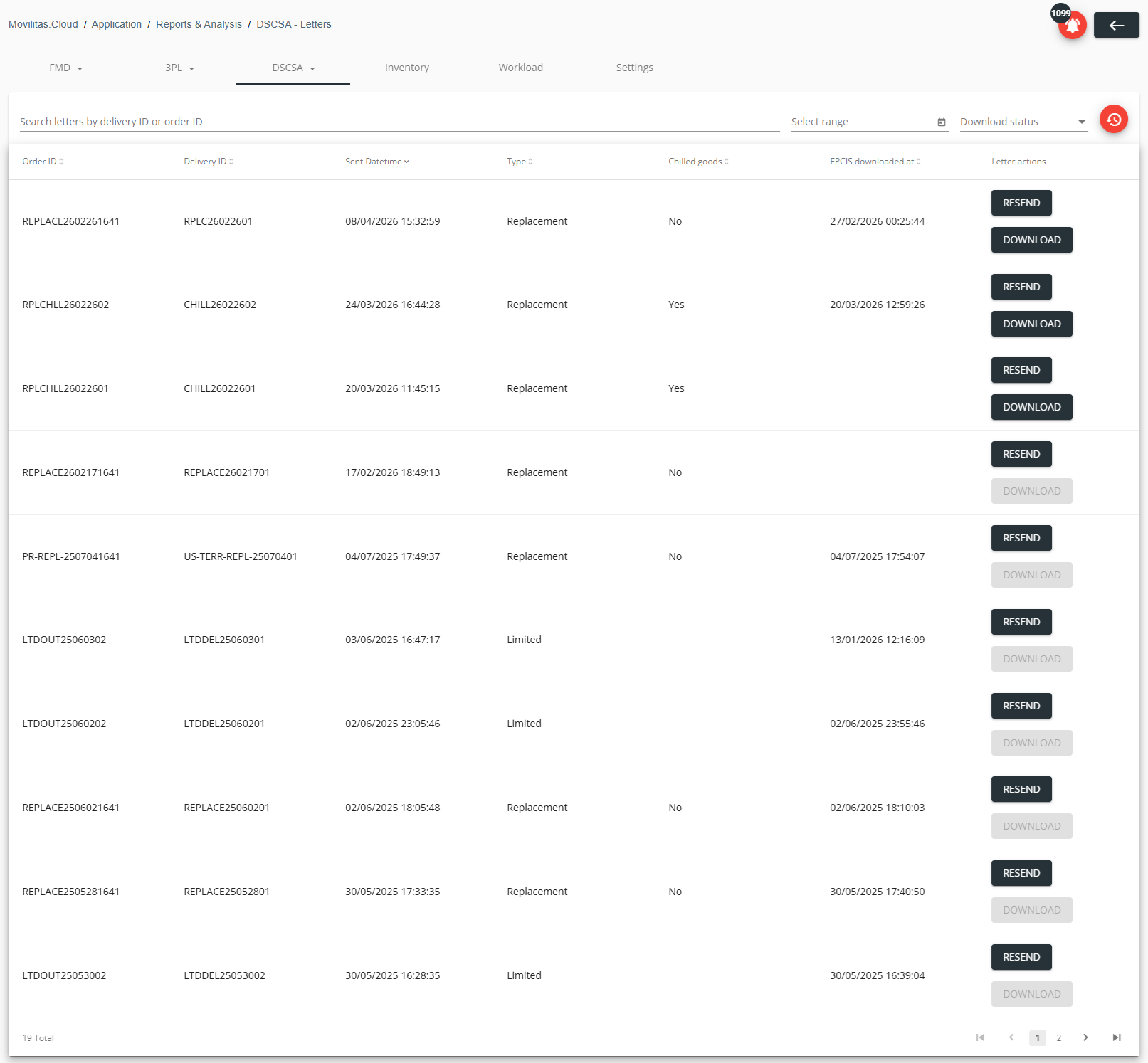
The application displays the list of DSCSA letters with the following data:
- Order ID of the replacement order or limited shipment.
- Date and time when the DSCSA letter was sent the last time.
- Type:
- Replacement (order).
- Limited (shipment).
- Chilled goods indication (Yes or No) for replacement letters as per the outbound order settings in the Serialized Logistics application.
- Note: Not applicable to limited shipments (empty field).
- Date and time when the EPCIS file was downloaded through the DSCSA letter, as per the history record of the outbound order in the Serialized Logistics application.
- Action buttons:
- Resend.
- Resending the DSCSA letter by email.
- Inactive if the appropriate email address is not given in the Serialized Logistics application --> Settings tab --> DSCSA (USA) letter settings section.
- Download.
- Downloading the DSCSA letter.
- Inactive for DSCSA letters that were created before the feature was released. Resending the letter activates the button.
- Resend.
Example:
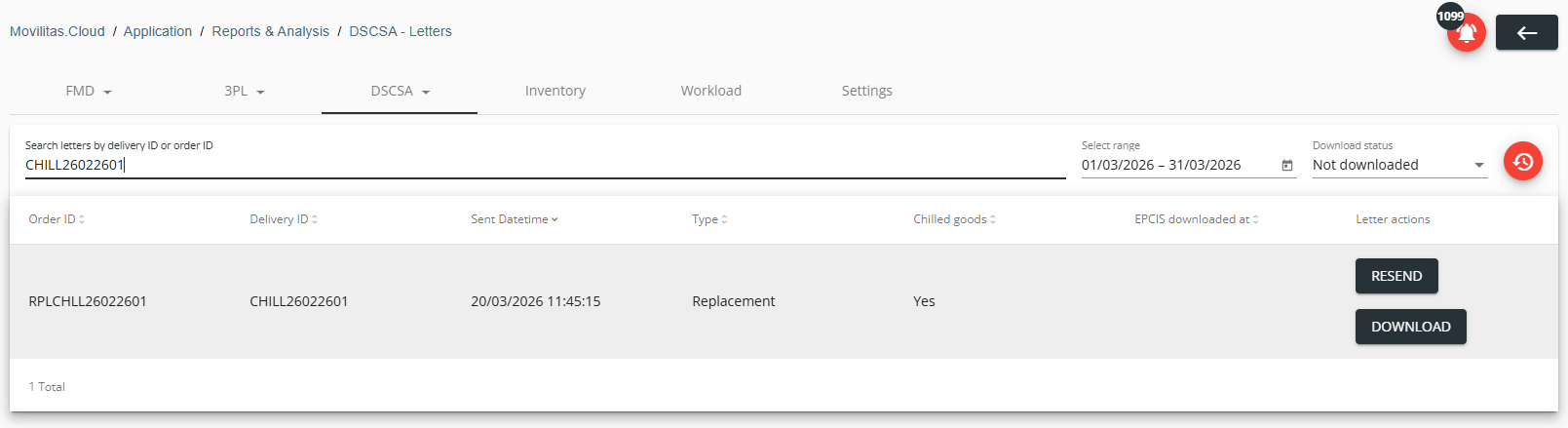
2. Search for a DSCSA letter:
- Filter by the download status of the DSCSA EPCIS file linked to the DSCSA letter.
- Downloaded.
- Not downloaded.
- All.
- Specify a date range by using the datepicker. The date refers to the latest sending date.
- Enter an order ID or delivery ID in the search field.
The DSCSA letters are filtered by the search criteria.
Example:
3. To resend a DSCSA letter by email, click Resend next to the letter. The application displays the email address where the letter will be sent and asks you to confirm.
The email address is taken from the Serialized Logistics application --> Settings tab --> DSCSA (USA) letter settings section, as per the letter type (replacement or limited shipment).
Example:
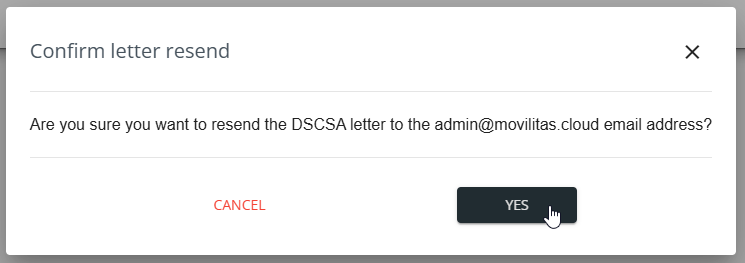
4. Select Yes. The application sends the DSCSA letter by email.
5. To download a DSCSA letter, click Download next to the letter and save the file to your local computer.
